Text variants: how to make every message unique
The same text sent a hundred times is the most obvious sign of spam. Text variants solve this problem: one template gives you dozens of different messages.
These templates are also called spintax. They're easy to write and very useful: messages look natural, recipients report them less often, and accounts stay in work longer.
- how text variants work;
- where you can use them in Airgram;
- how to write a good template;
- what format to use when pasting lists of groups, people and numbers.
How it works
Write several variants in curly braces, separated by a vertical bar. Each time, the program picks one of them:
{Hi|Good afternoon|Hello}, how are you?One recipient gets “Hi, how are you?”, another gets “Good afternoon, how are you?”. A text can have several variant blocks, and each one is picked independently of the others:
{Hi|Good afternoon}! {Quick question|Just checking}: are you still looking for a contractor?Two greeting variants times two question variants gives you four different messages. Add a third block, and you get eight variants.
Where to use them
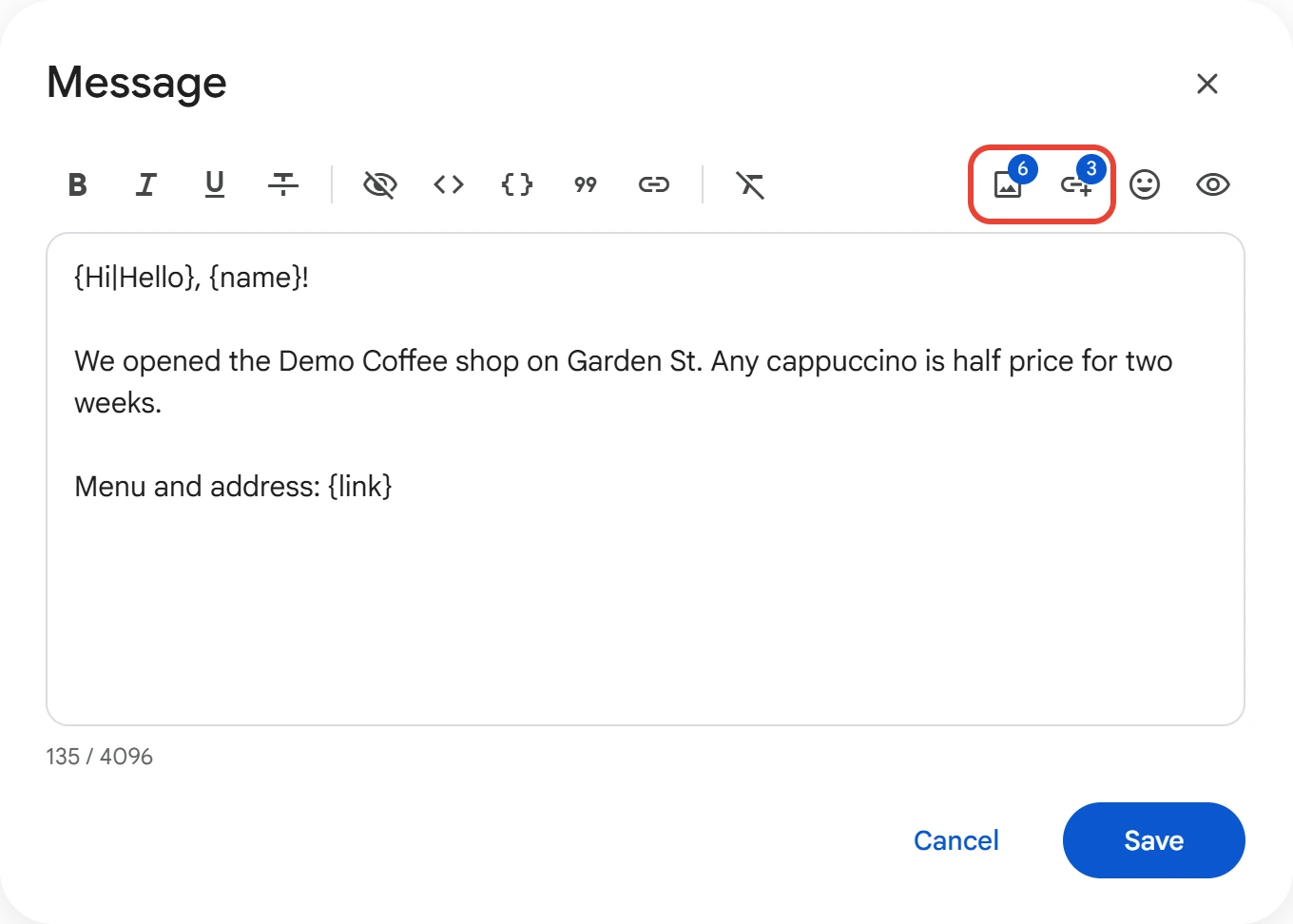
Broadcasts. You write variants right in the message text, and placeholders work alongside them: {name} is the recipient's name, and {link} is a link from your link list.
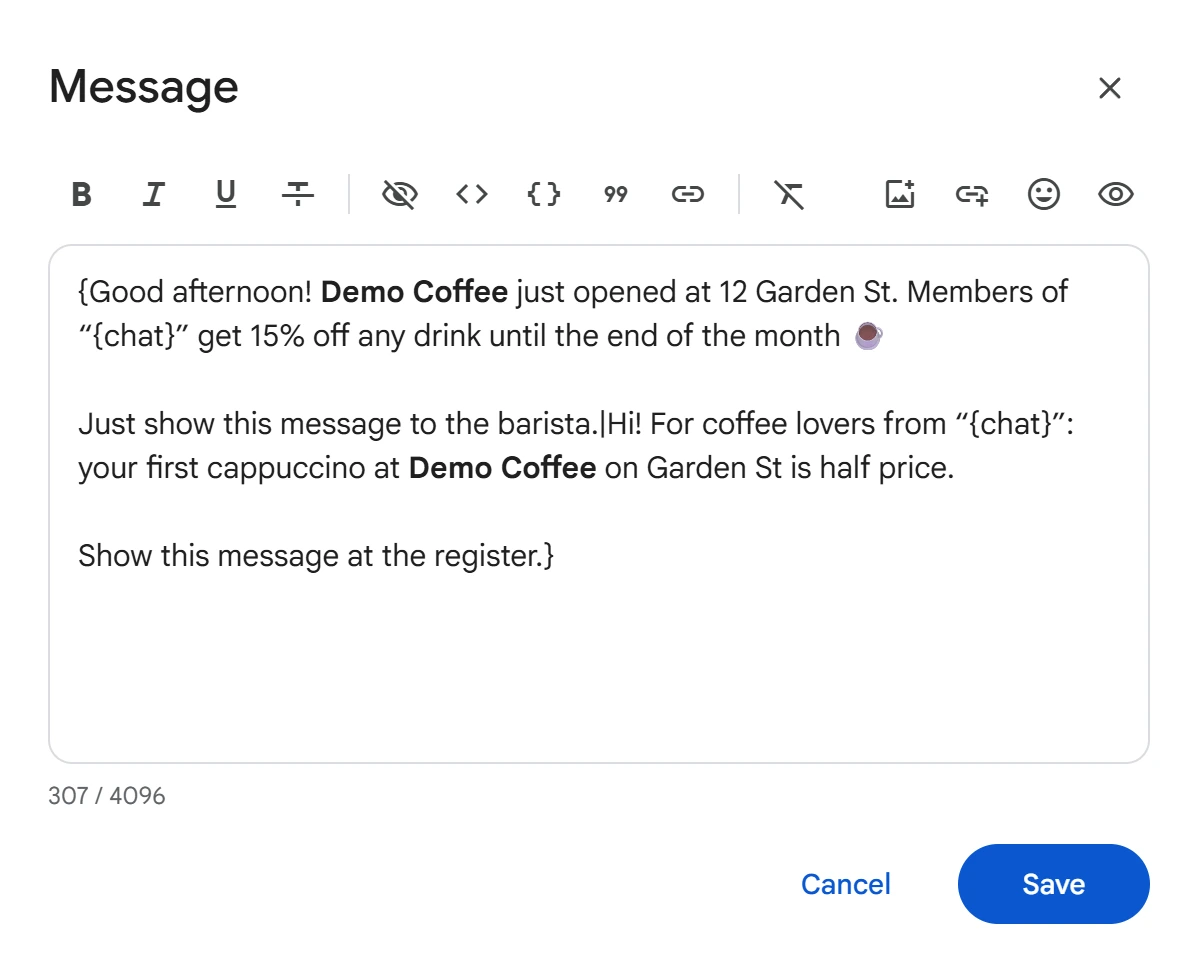
You can use variants not only for single words but for the whole text. For example, in a group broadcast, it's handy to prepare several completely different messages and insert the group name with {chat}:
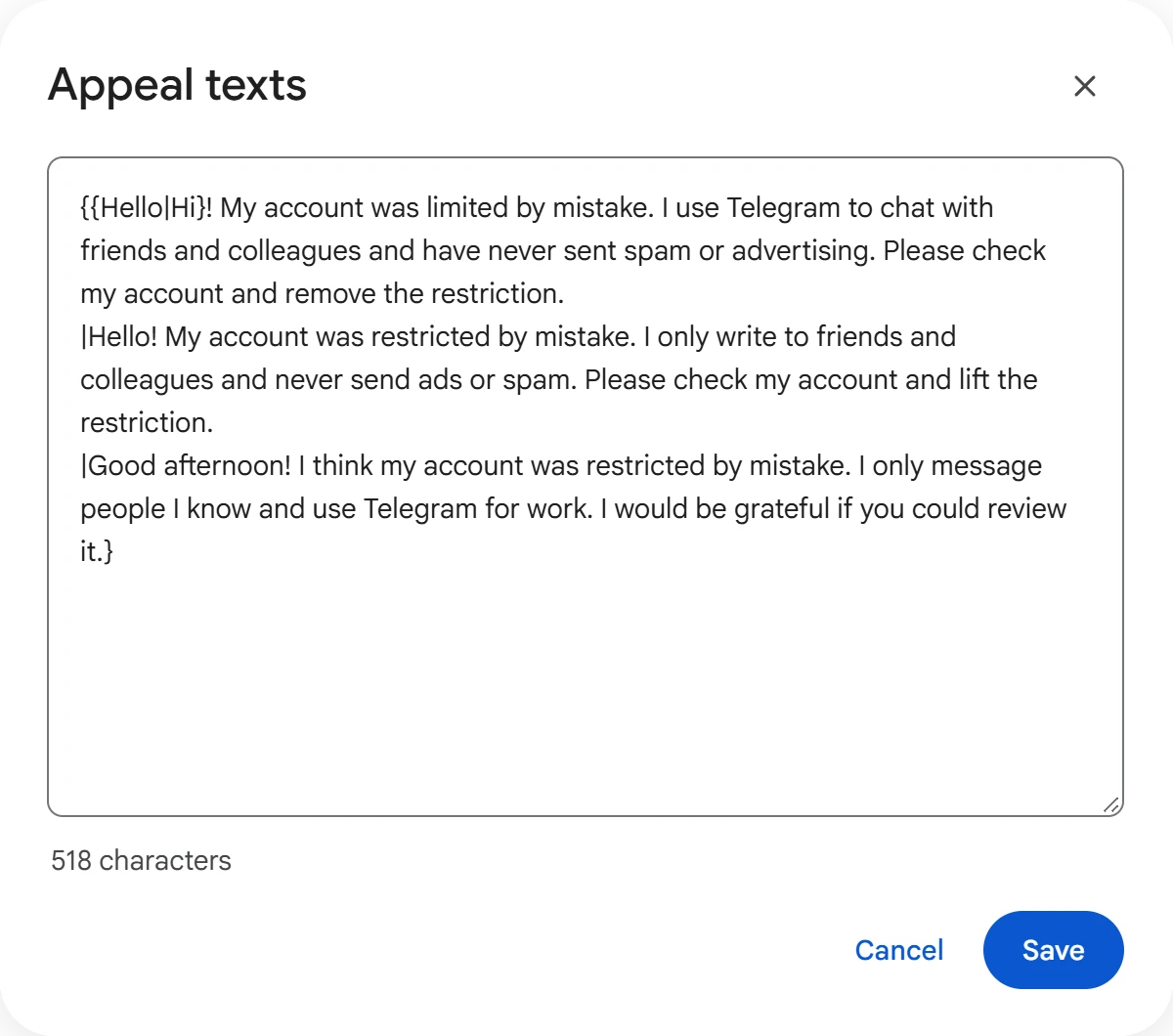
@SpamBot appeals. In the “Remove Restrictions” module, each account sends a random variant of the appeal, so moderators don't see dozens of identical messages.
Channel names and descriptions in the “Chat & Channel Creator” module and word replacements in the chat and channel cloners support variants too.
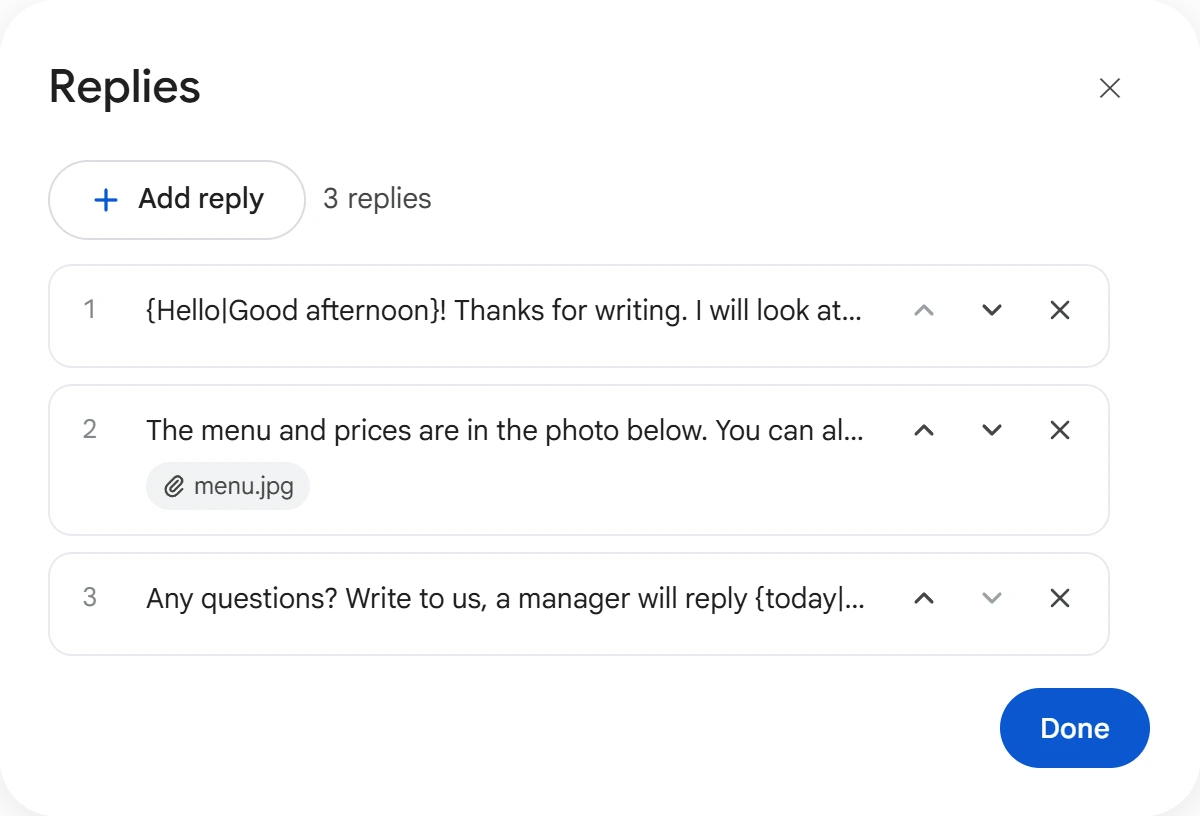
Auto-Reply works differently: each reply is added separately. The first goes out on the other person's first message, the second on their second. Inside a reply, variants work as usual.
How to write a good template
- Change more than the greeting. If only the first word differs, the messages still look alike. Vary the main part too.
- Write naturally. Each variant should read like a normal phrase, so check a few full combinations.
- Don't overdo it. Three or four variants per key phrase are usually enough.
- Check your braces and bars. An extra brace or a missing bar goes into the message as is.
List formats
Lists of groups, people and numbers are pasted the same way in every module: one record per line.
Groups and channels
@group
t.me/group
https://t.me/group
t.me/+abcdef
t.me/channel/123
A post link like t.me/channel/123 is accepted where the module works with posts.
People — @username, a t.me/username link, a phone number or a numeric ID. IDs are collected by the “Audience Scraper” module, so you can work with people who have no username too.
Phone numbers — with the country code, in any format: spaces, brackets and hyphens are fine.
+7 999 123-45-67
79991234567
+995 555 123 456
For proxy formats, see the Proxies and accounts article. To learn why unique texts lower the risk of restrictions, see the Spam block and FloodWait article.