
Modules
Profile Filler
This module sets up the profiles of the accounts you select: first and last name, @username, bio, birthday, profile photo, stories and profile audio. Each account gets its own variants from your lists.
What to fill#
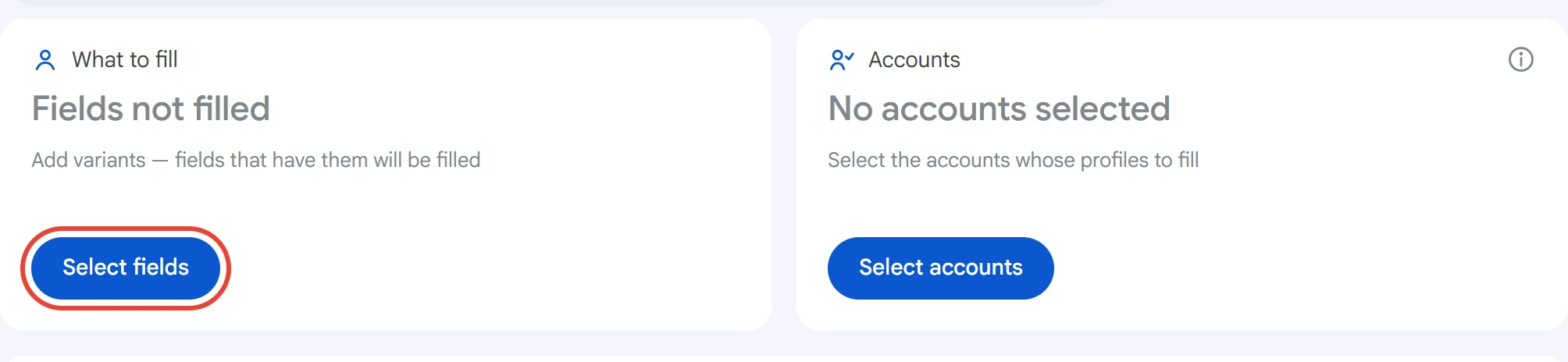
Click “Select fields” on the “What to fill” card.
A window opens with a list of fields. The number to the right of each field shows how many variants it has. Only fields with variants are filled: accounts leave empty fields alone.
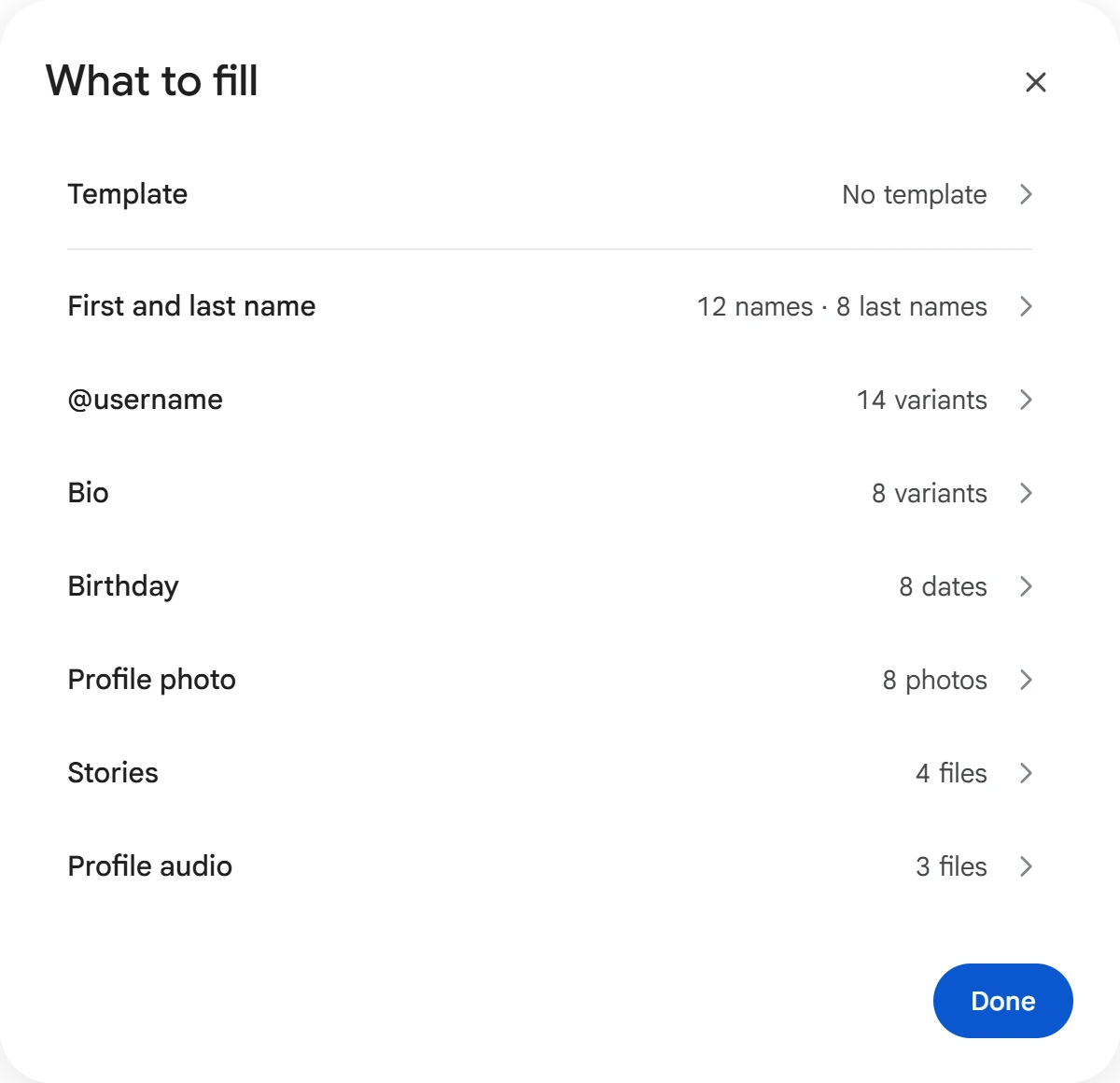
Click a field to add variants. The “←” arrow in the header takes you back to the field list, and what you entered is saved automatically.
Name, @username, bio, birthday#
Enter one variant per line, or click “Load from file” and choose a .txt file. Each account gets a random variant from the list.
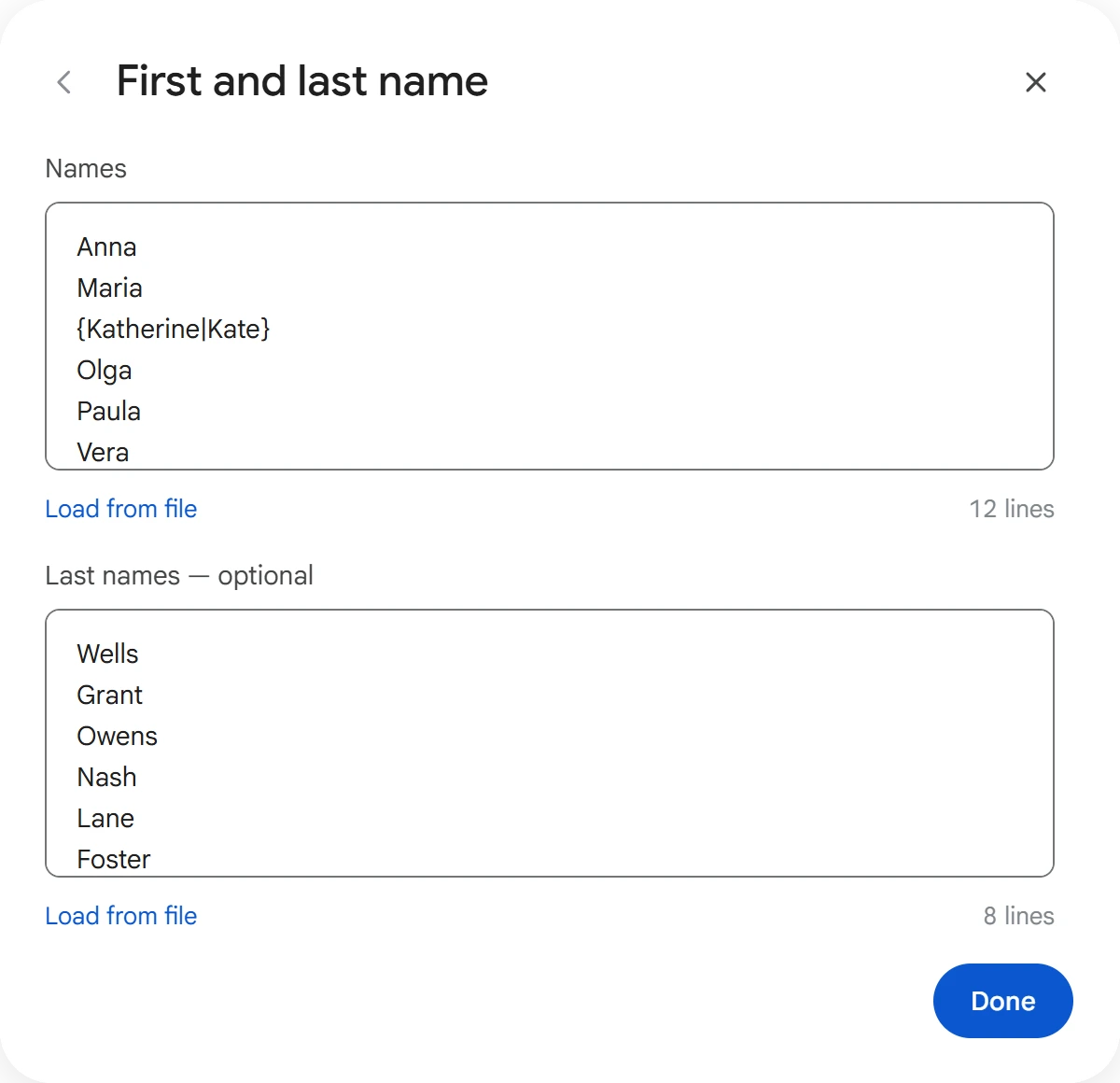
- First and last name — two lists: “Names” and “Last names — optional”. Without last names, an account gets a first name only. The entry
{Catherine|Kate}gives one of the variants in the curly braces. For details, see Text variants and list formats. - @username — 5 to 32 characters: Latin letters, digits and
_, and the first character must be a letter. Lines that don't fit aren't counted. Each @username goes to one account and is removed from the list. If an @username is taken, the account takes the next one. When the free @usernames run out, the account is removed from the task and its profile stays unchanged. - Bio — up to 70 characters; anything longer is cut off.
{…|…}braces work the same way as in the name. - Birthday — in the form
14.05.1990,1990-05-14, or14.05with no year.
Profile photo, stories, audio#
Click “Add files” and choose files on your computer. You can check files you don't need and delete them.
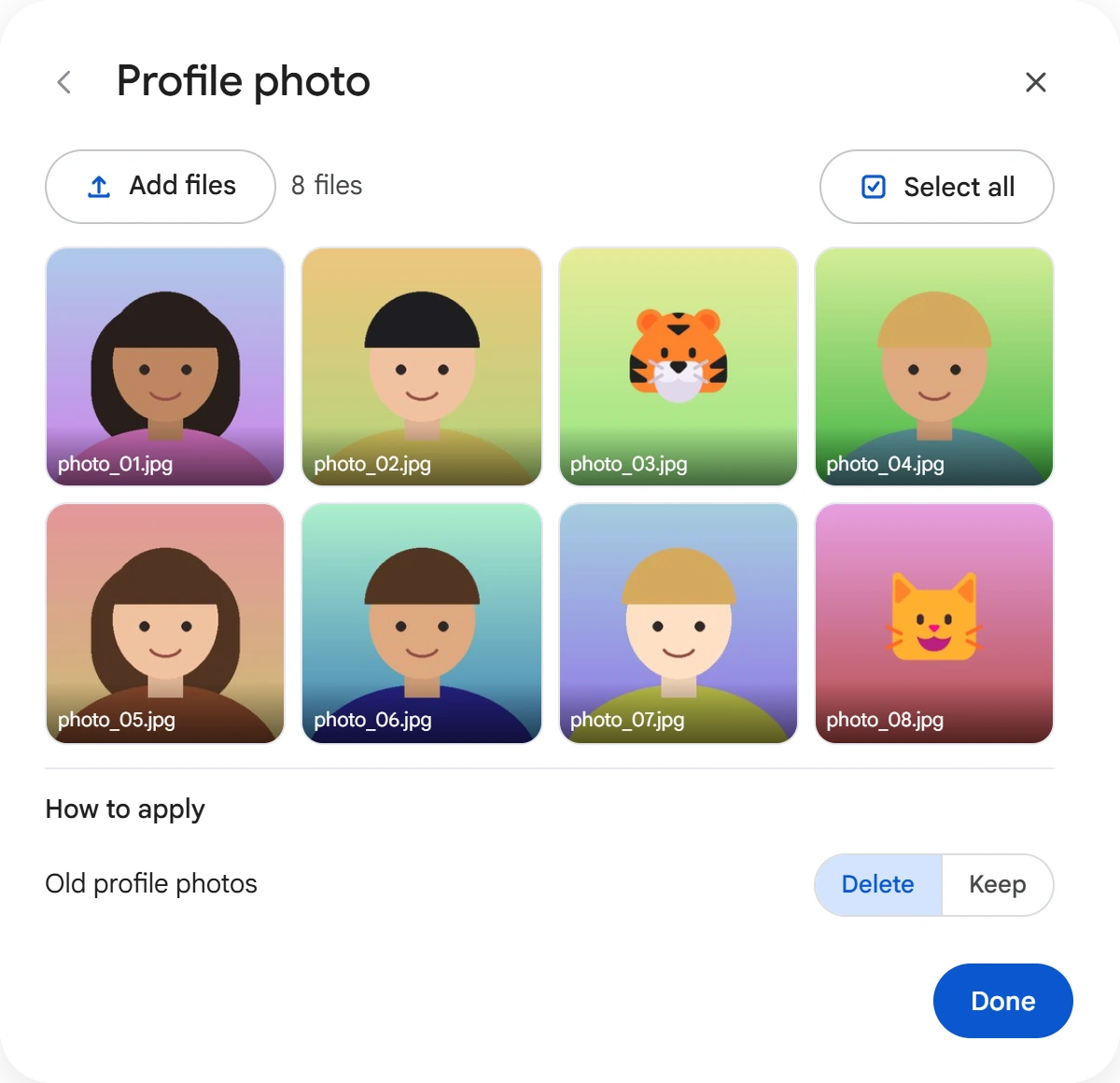
Below the files are the “How to apply” settings.
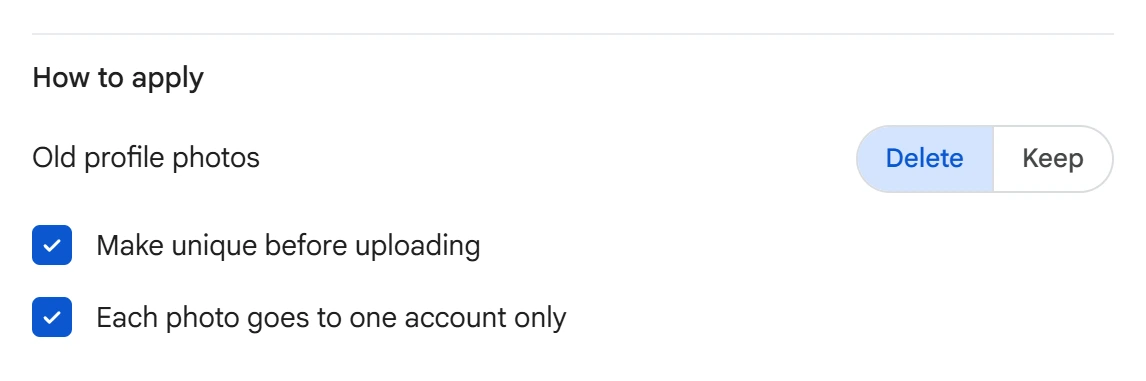
- Old profile photos — “Delete” removes the previous photos, leaving only the new one in the profile. “Keep” puts the new photo first and keeps the old ones.
- Make unique before uploading — the program slightly changes the color, brightness and edges of a copy of the photo so that Telegram doesn't recognize the same image on different accounts.
- Each photo goes to one account only — a used file is removed from the list. Without this option, one photo can go to several accounts.
Stories — JPG, PNG or WEBP photos, or MP4 or MOV videos. Publication period: 6, 12, 24 or 48 hours. The same options are available here: “Make photos unique before uploading” and “Each story goes to one account only”. If Telegram requires Premium for a story, the account skips this field.
Profile audio — MP3, M4A, OGG, OPUS, FLAC, WAV or AAC, up to 50 MB. The “Each track goes to one account only” option works the same way as for photos.
If this option is on and there are fewer files than accounts, a warning appears below the cards: some accounts won't get this field.
Templates#
A template is a saved set of variants for all fields. Click the “Template” row in the “What to fill” window.
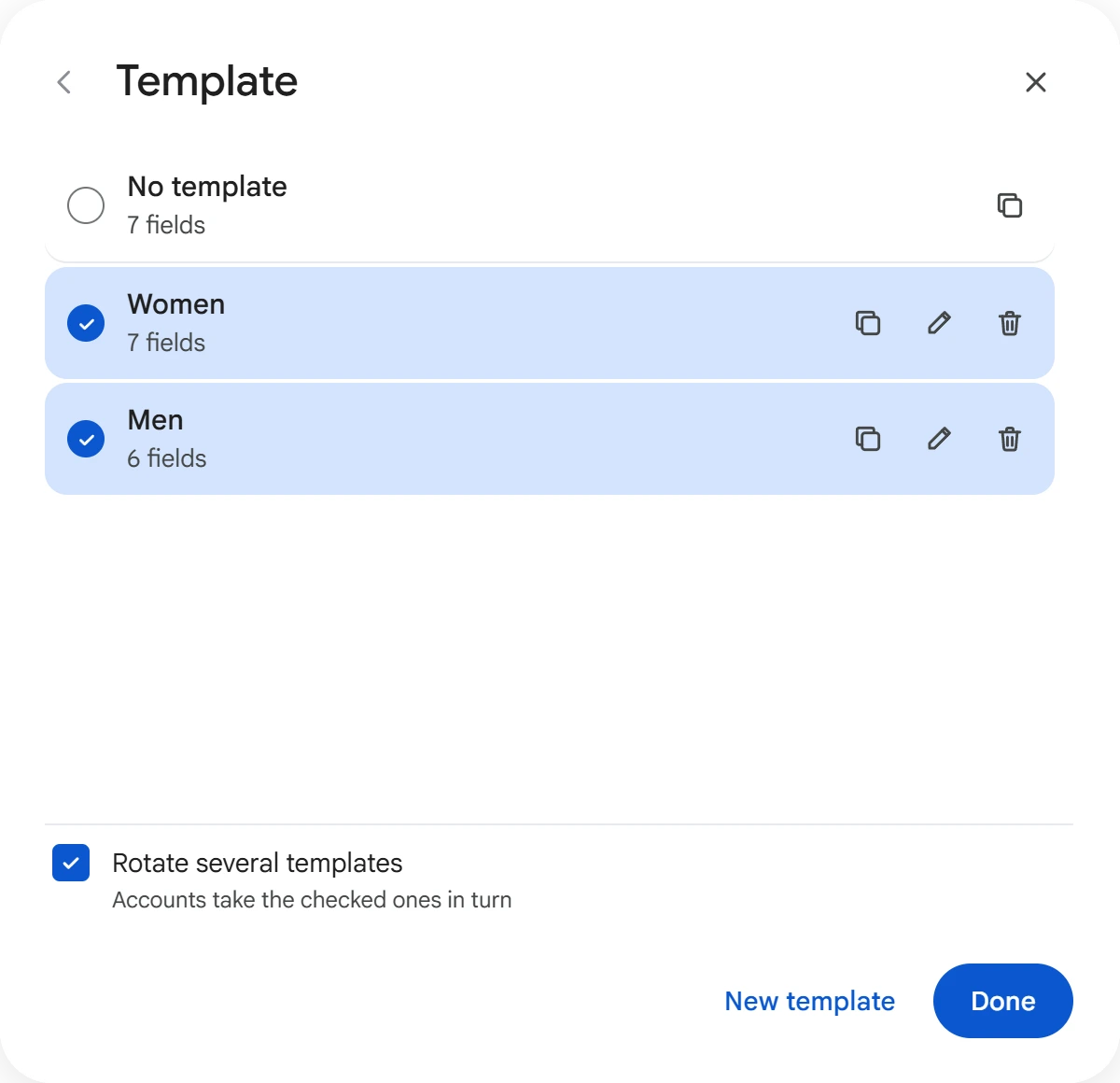
- “No template” — the variants you added directly to the fields.
- “New template” creates an empty template. It's selected right away, and the fields in the window now edit that template.
- The copy icon saves the variants as a new template. The pencil renames a template, and the trash can deletes it.
- “Rotate several templates” lets you check several templates. Accounts take them in turn: the first account takes the first template, the second takes the second, and so on. For example, this lets you fill women's and men's profiles in one task.
A template that is currently filling profiles can't be renamed or deleted until the task ends.
Accounts#
Click “Select accounts”, check the ones you need and click “Save”.
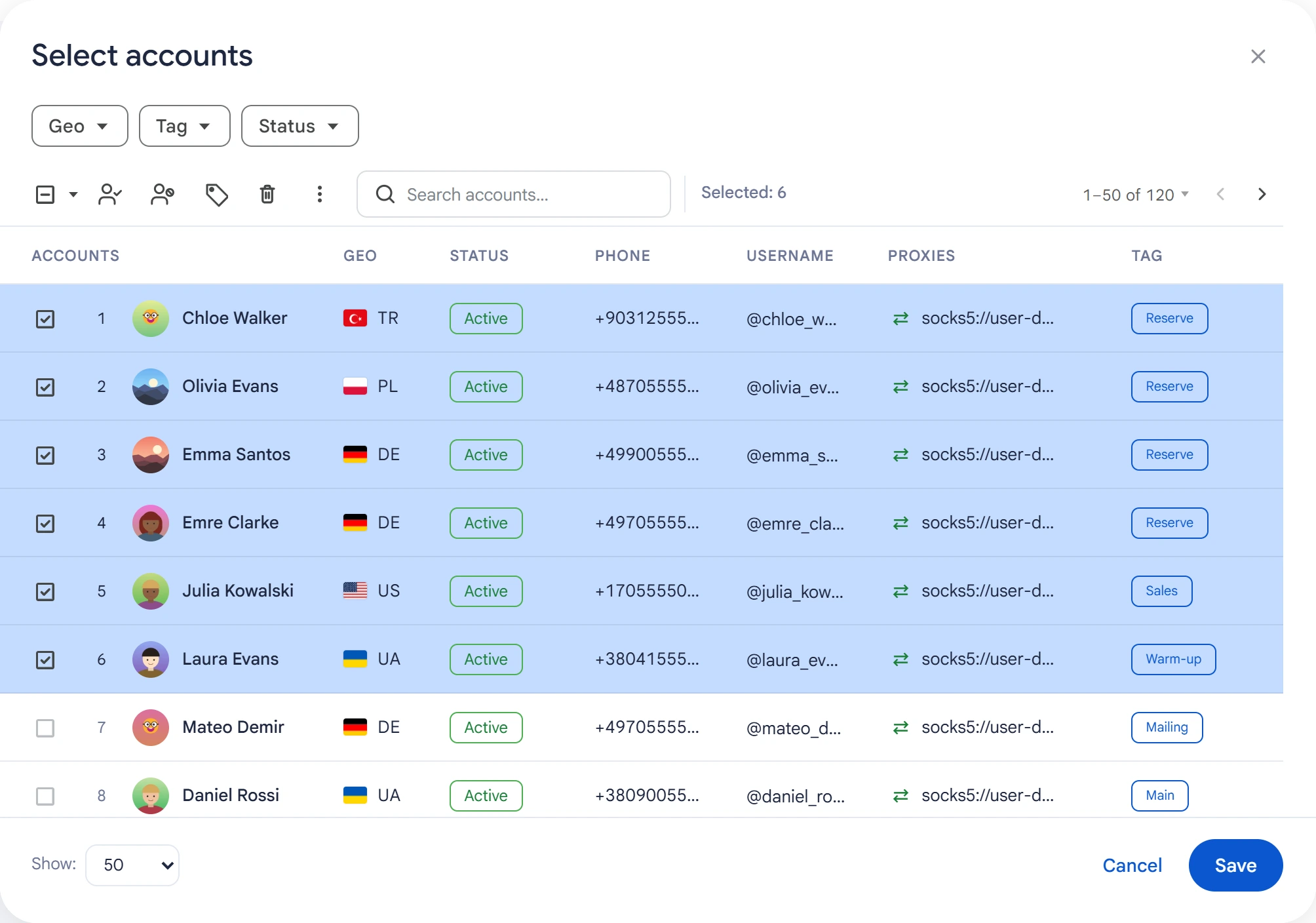
Each account gets its own variant for every field being filled.
You can change a single thing on selected accounts without this module: in the Accounts section, open the “⋮” menu and choose “Edit profile”.
Advanced settings#
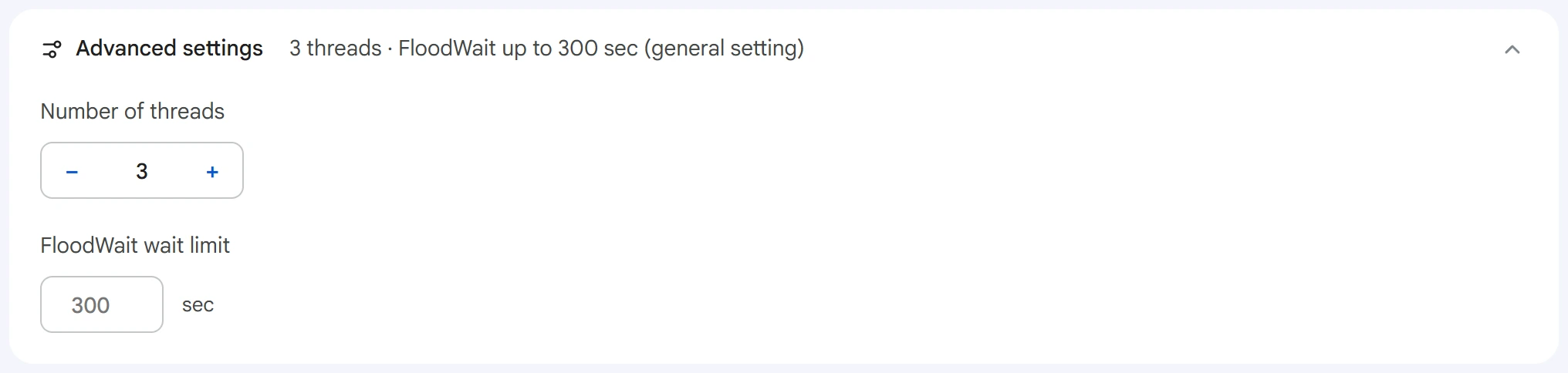
- Number of threads — how many accounts are filled at the same time.
0uses the value from the Settings section. - FloodWait wait limit — how long an account can wait when Telegram asks for a pause. An empty field uses the shared setting;
0means waiting with no limit.
An account can wait out a pause only while setting an @username: after the pause, it tries again. A pause during any other field ends that account's work, because filling that has already started isn't repeated from the middle.
The program adds pauses between fields on its own: 6–12 seconds.
Start and results#
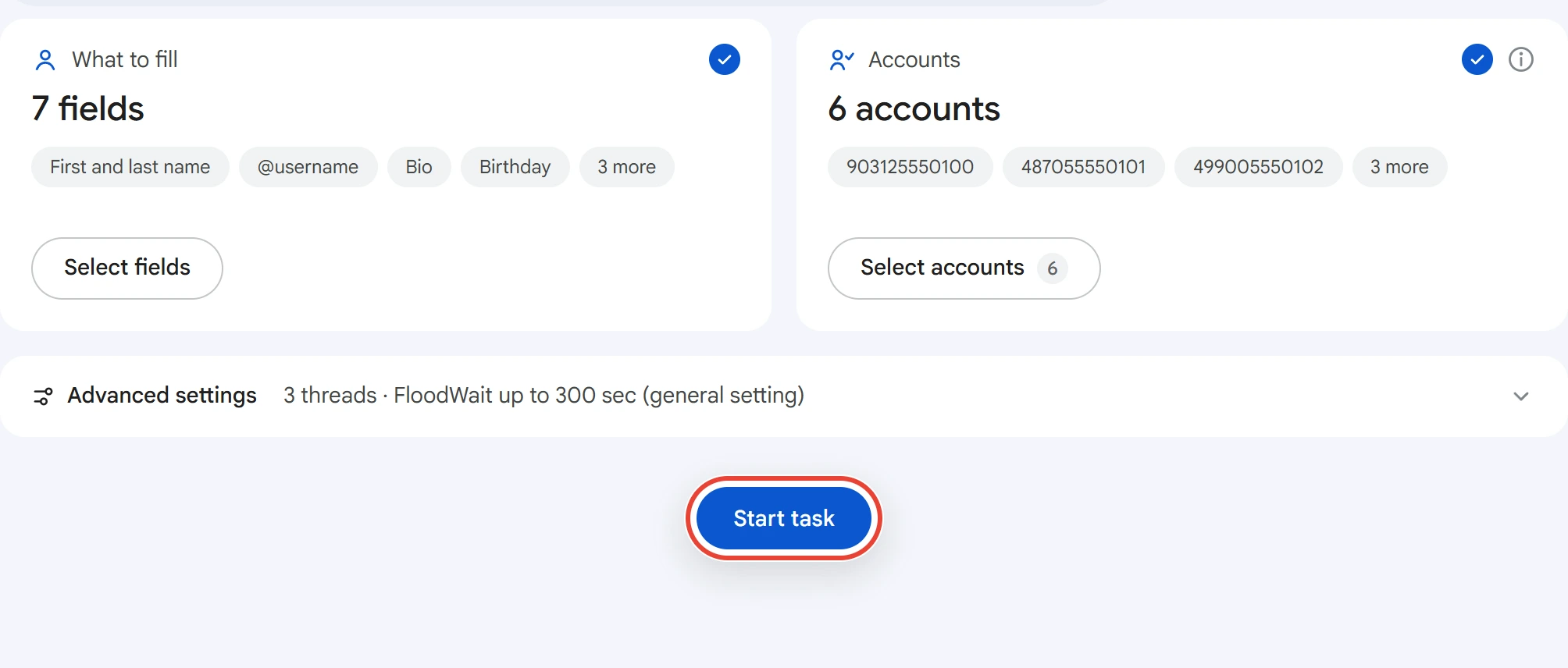
Click “Start task”. You can track progress in the Task Manager.
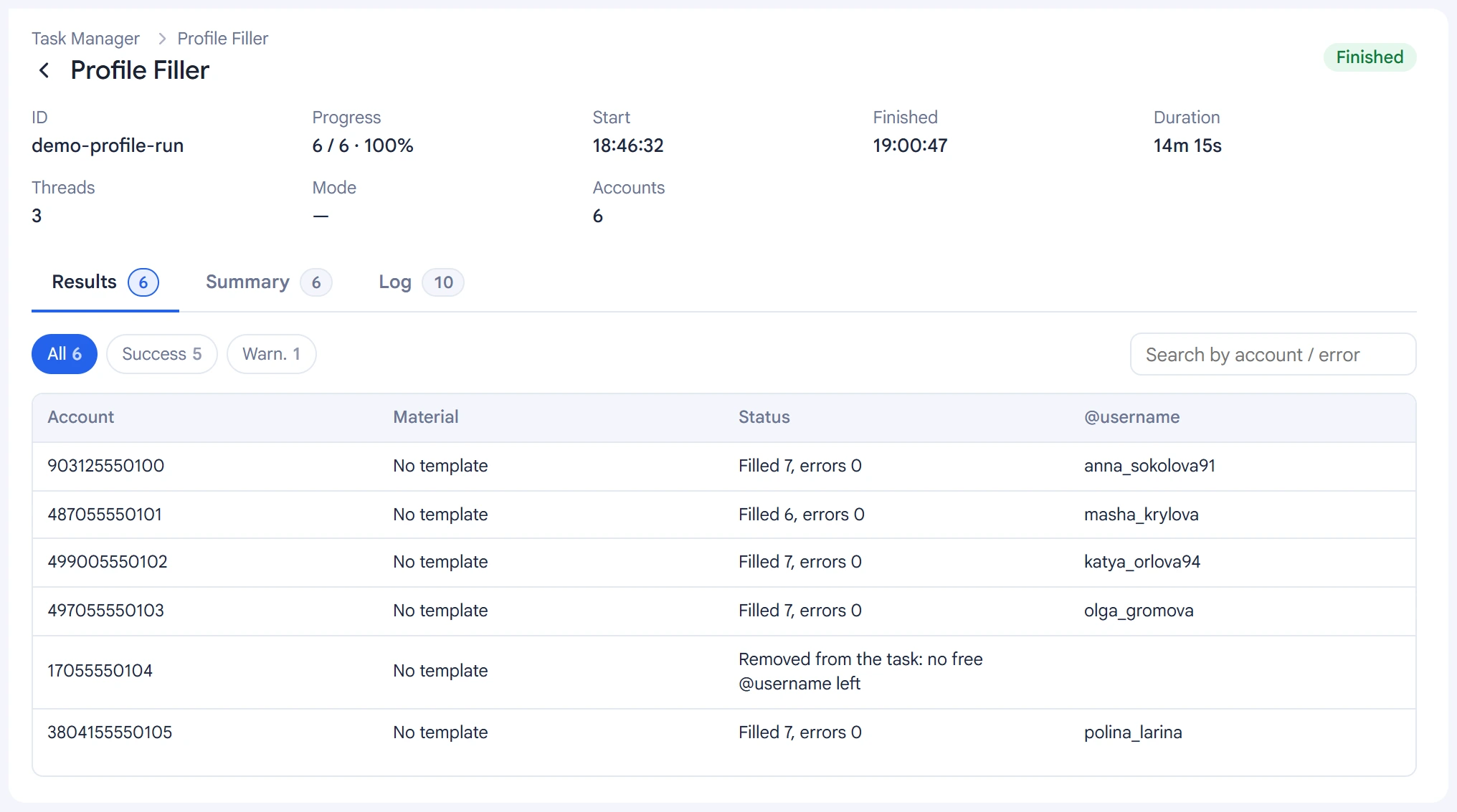
The “Results” tab has one row per account: the template, the outcome and the @username that was set.
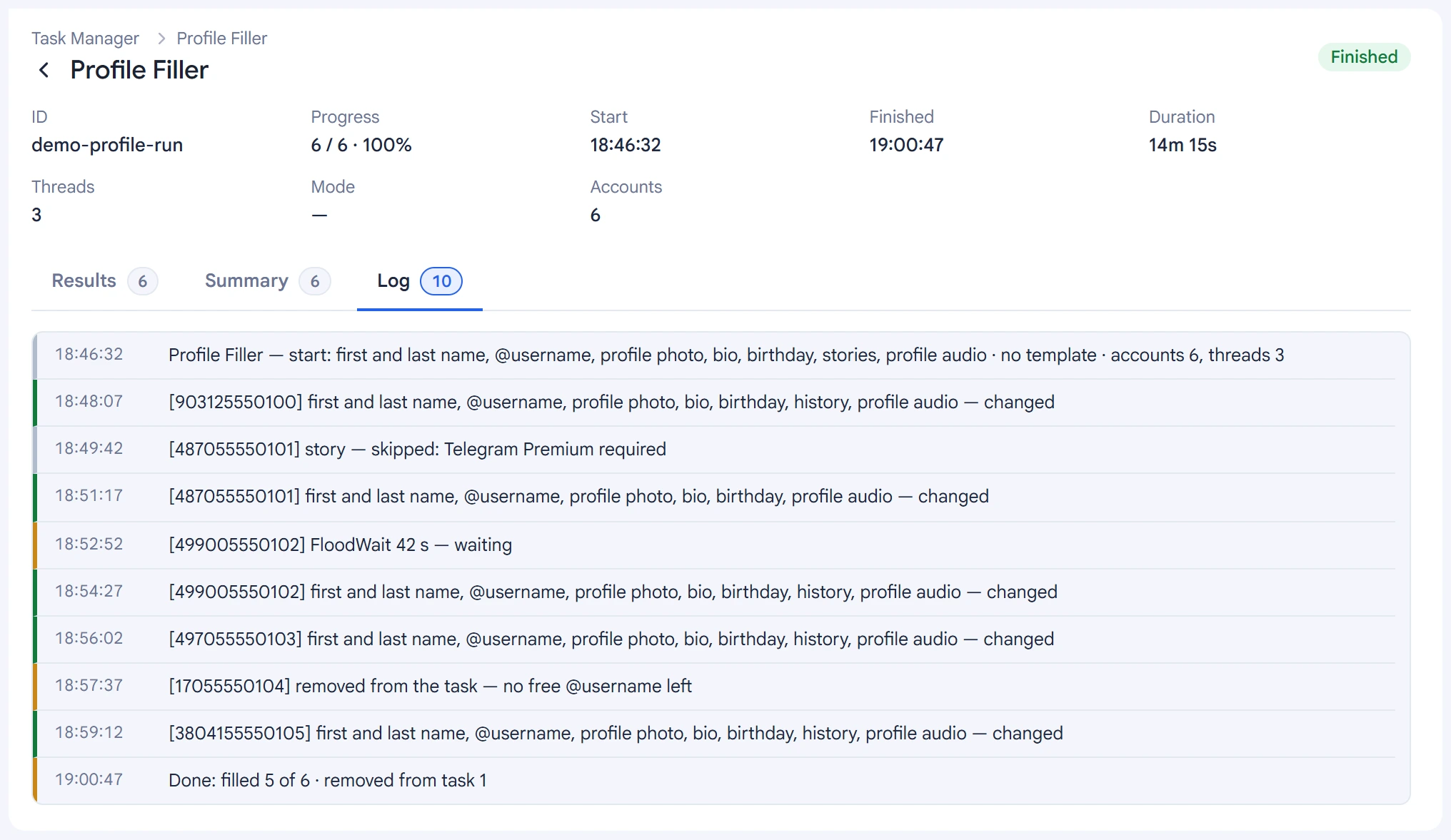
The log shows, for each account, which fields were changed, what was skipped and why.
Tips#
- Fill in profiles before inviting and broadcasts: empty and identical profiles give away accounts from the same farm.
- Match names to the number's country: Russian names on +7 numbers, local names on local numbers.
- For women's and men's profiles, create two templates and turn on “Rotate several templates”.
- Prepare extra @usernames: if there aren't enough, the account is removed from the task entirely.